
Drag and resize events
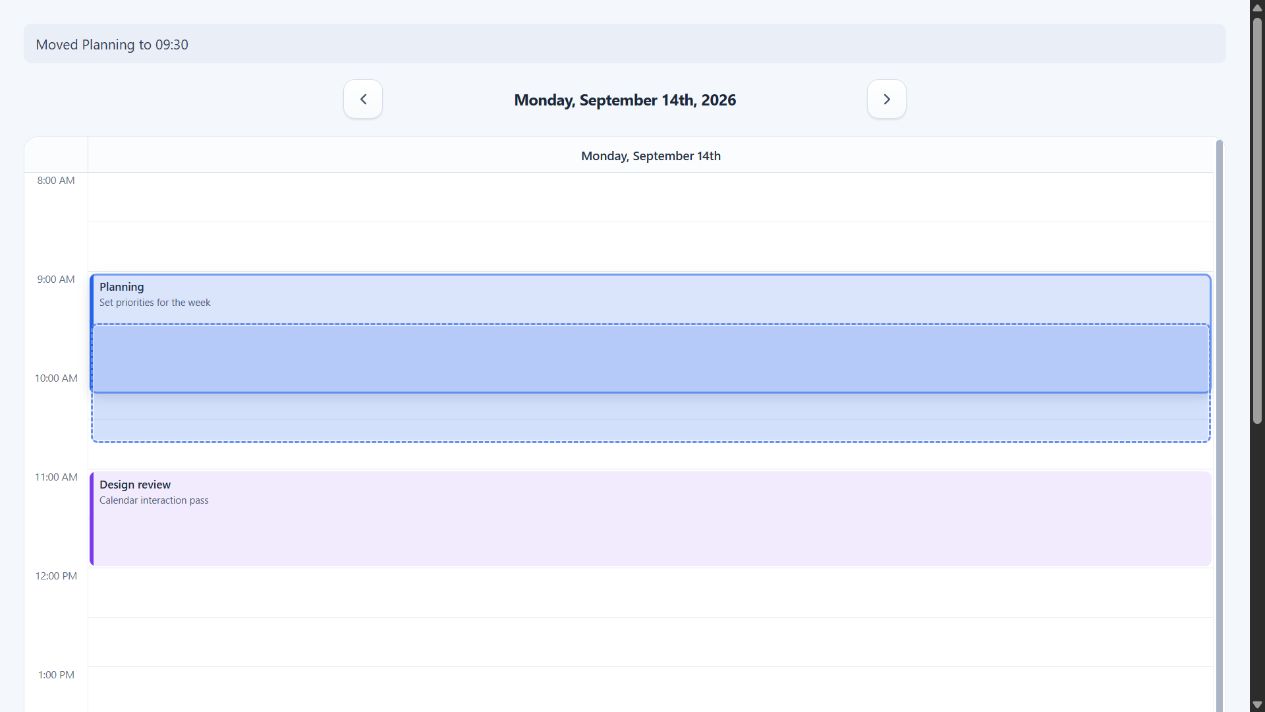
ChronoLaneJS enables event movement and resizing when a time-grid view receives
onEventDrop or onEventResize. Pointer, touch, and keyboard input share the
same proposal callbacks; the library never mutates application events.
Controlled event updates
Keep the source events in application state and apply each committed proposal. The callback includes the complete source event, full proposed interval, and source or destination resource position.
import { useState } from "react";
import Calendar from "@chronolanejs/react";
import type {
    CalendarEvent,
    TimeGridEventDrop,
    TimeGridEventResize
} from "@chronolanejs/react";
import "@chronolanejs/react/styles.css";

interface Meeting extends CalendarEvent {
    id: string;
    locked?: boolean;
    resourceId?: string;
}

const initialEvents: Meeting[] = [{
    id: "planning",
    title: "Planning",
    start: "2026-09-14T09:00:00",
    end: "2026-09-14T10:15:00"
}];

export default function EditableSchedule() {
    const [events, setEvents] = useState(initialEvents);

    const moveEvent = ({
        event,
        start,
        end,
        destination
    }: TimeGridEventDrop<Meeting>) => {
        setEvents((current) => current.map((item) => item.id === event.id
            ? {
                ...item,
                start,
                end,
                resourceId: destination.resourceId == null
                    ? undefined
                    : String(destination.resourceId)
            }
            : item));
    };

    const resizeEvent = ({
        event,
        start,
        end
    }: TimeGridEventResize<Meeting>) => {
        setEvents((current) => current.map((item) => item.id === event.id
            ? { ...item, start, end }
            : item));
    };

    return (
        <Calendar<Meeting>
            date="2026-09-14"
            events={events}
            view="week"
            viewProps={{
                minTime: "08:00",
                maxTime: "18:00",
                slotDuration: 30,
                resizeStep: 15,
                canDragEvent: (event) => !event.locked,
                canResizeEvent: (event) => !event.locked,
                onEventDrop: moveEvent,
                onEventResize: resizeEvent
            }}
        />
    );
}
Persist, validate, reject, or optimistically apply a proposal in these
callbacks. Until the application updates events, the source event remains
unchanged.
Movement input
| Input | Start | Choose a target | Commit or cancel |
|---|---|---|---|
| Pointer | Drag the event body past the movement threshold. | Move over a visible slot or resource column. | Release to commit; pointer cancellation discards. |
| Touch | Drag the event body. | Move over a visible slot or resource column. | Release to commit; touch cancellation discards. |
| Keyboard | Focus the event. | Arrow Up/Down changes time; Left/Right changes the visible day or resource. | Enter or blur commits; Escape cancels. |
Movement preserves the complete event duration, including when the visible
segment is clipped by the current range. destination identifies the proposed
day and resource independently of the event's original assignment.
Resize input
Supplying onEventResize exposes start and end edge controls. resizeStep
sets the pointer, touch, and keyboard increment independently from
slotDuration.
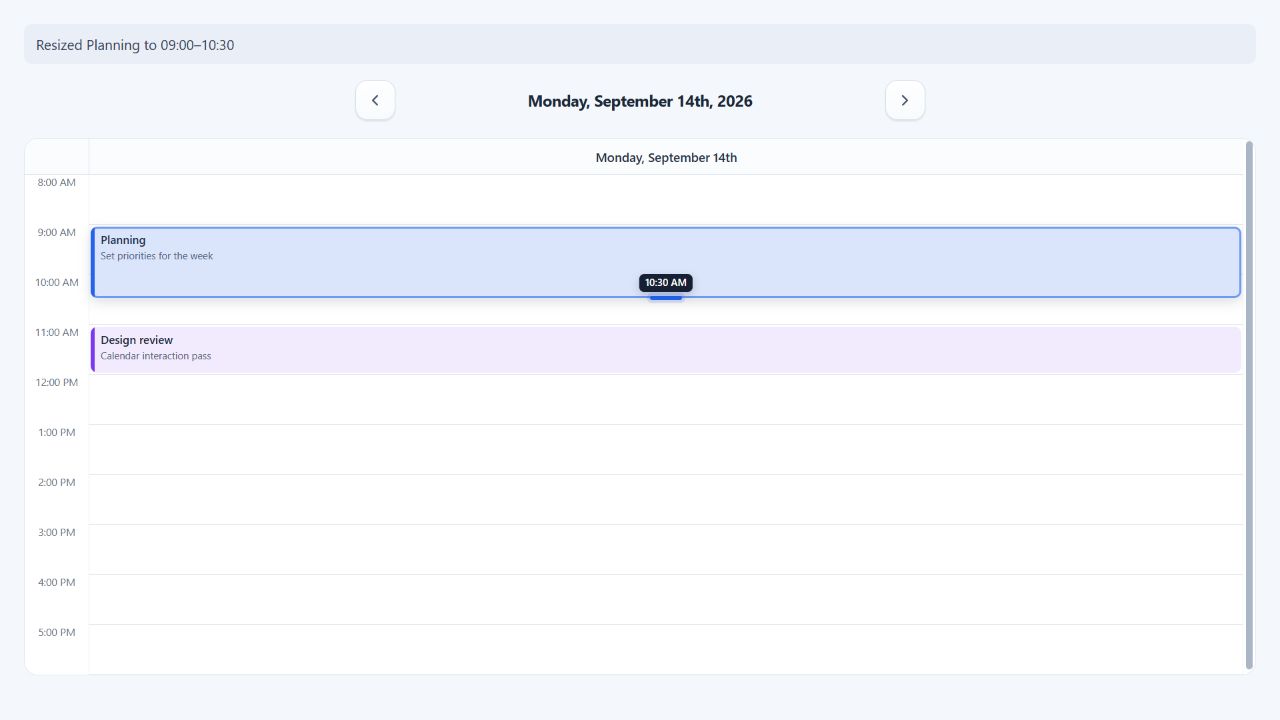
Focused resize handles use Arrow Up/Down for timed events. Dedicated multi-day
events use Left/Right and whole calendar-day steps. Enter or blur commits one
proposal; Escape restores the source interval. The callback's edge is
"start" or "end".
Multi-day events and permissions
Set multiDayEventLayout="dedicated" to move and resize multi-day events in a
separate region above the timed grid. Day steps preserve wall-clock fields
across daylight-saving transitions.
canDragEvent(event, segment) and canResizeEvent(event, segment, edge) run
for each rendered occurrence. Use segment.day, segment.resource, and
segment.resourceId for occurrence-specific permissions. Background events
never expose movement or resize controls.
See Accessibility for the complete keyboard contract, Calendar and views for callback props, and Interactions and callbacks for their payloads.