
Custom renderers
ChronoLaneJS exposes typed renderer boundaries for application-owned markup without transferring calendar geometry or interaction state. Replace the smallest boundary that needs different presentation and preserve the supplied root attributes.
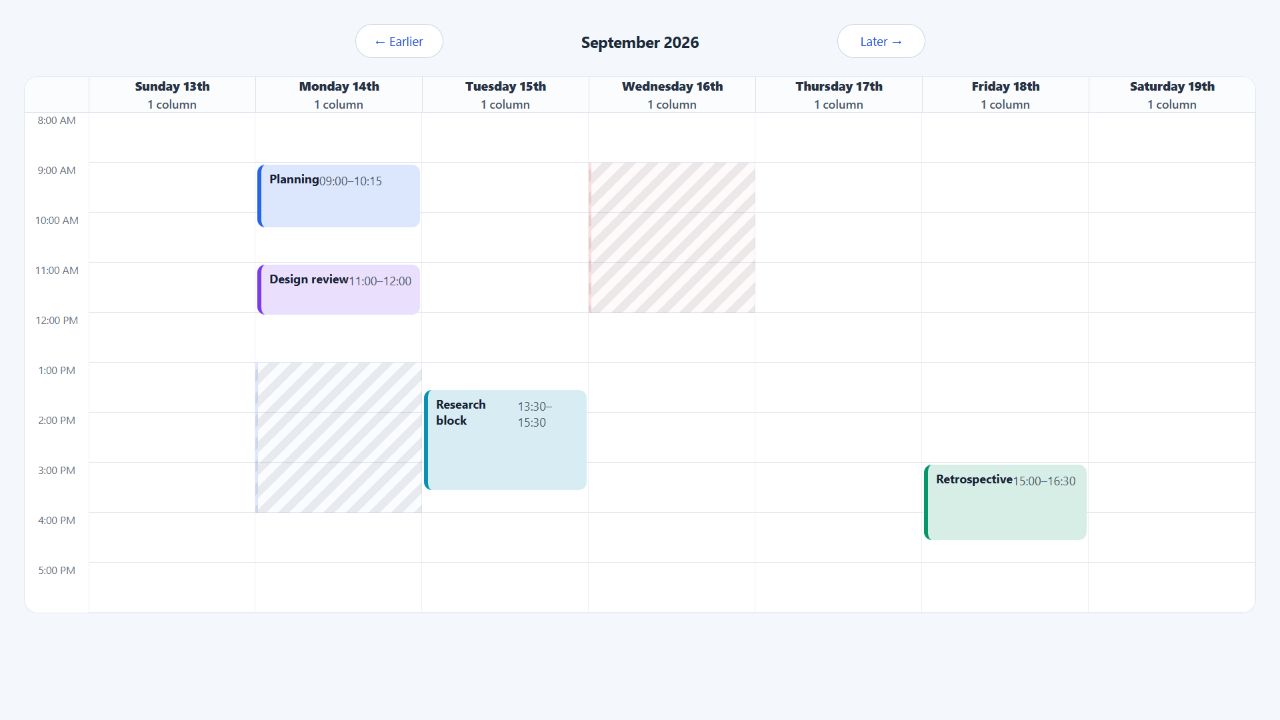
Complete event renderer
The event renderer receives the normalized source event, its visible segment,
selection state, and elementProps. Spread elementProps onto the root before
adding application classes or attributes.
import Calendar from "@chronolanejs/react";
import type {
    CalendarEvent,
    TimeGridEventProps
} from "@chronolanejs/react";
import "@chronolanejs/react/styles.css";

interface Meeting extends CalendarEvent {
    id: string;
    owner: string;
    status: "confirmed" | "tentative";
}

function MeetingEvent({
    event,
    segment,
    selected,
    elementProps
}: TimeGridEventProps<Meeting>) {
    return (
        <div
            {...elementProps}
            className={`${elementProps.className} meeting-event`}
            data-layout={segment.layout}
            data-selected={selected || undefined}
            data-status={event.status}
        >
            <strong>{event.title}</strong>
            <span>{event.owner}</span>
        </div>
    );
}

const events: Meeting[] = [{
    id: "review",
    title: "Design review",
    owner: "Noah",
    status: "confirmed",
    start: "2026-09-14T11:00:00",
    end: "2026-09-14T12:00:00"
}];

export default function ProductCalendar() {
    return (
        <Calendar<Meeting>
            date="2026-09-14"
            events={events}
            view="week"
            viewProps={{ components: { event: MeetingEvent } }}
        />
    );
}
.meeting-event {
    display: grid;
    align-content: start;
    gap: 2px;
    padding: 6px 8px;
    border-left: 4px solid #2563eb;
    background: #dbeafe;
    color: #172033;
}

.meeting-event[data-status="tentative"] {
    border-left-style: dashed;
}
Renderer boundaries
| Surface | Available renderers |
|---|---|
| Time grid, day, and week | event, slot, backgroundEvent, dayHeader, resourceHeader, navigation |
| Month | event, dayHeader, navigation |
| Agenda | event, dayHeader, empty, navigation |
Root Calendar | navigation shared by built-in views |
Time-grid event receives source identity in event and clipped day/resource
context in segment. Month and agenda events receive their occurrence context.
Header renderers receive concrete day or resource values and covered columns.
Preserve the root contract
elementProps owns required positioning, styles, classes, accessible names,
focus, pointer handlers, keyboard handlers, and drag behavior. Dropping or
moving those attributes can make an event look correct while breaking layout
or input support.
Keep these rules:
- Spread
elementPropson the renderer's root. - Append to
elementProps.className; do not replace it. - Preserve
elementProps.stylewhen adding inline styles. - Keep the supplied accessible name unless the replacement is equivalent or more specific.
- Do not introduce nested focus targets without an explicit focus and event propagation policy.
- Keep a slot renderer's root as its only focus target.
Use Styling and theming when markup can remain unchanged. Review Accessibility before shipping any renderer replacement, and use the renderer contracts for exact payload types.