
Accessibility
ChronoLaneJS provides accessible names, semantic controls, keyboard event actions, visible focus styles, reduced-motion styling, and renderer interaction props. It does not make an application accessible automatically: data labels, custom renderers, surrounding layout, and action outcomes remain consumer responsibilities.
This page documents current behavior, including known limitations tracked in the roadmap.
Focus order
With default renderers, browser tab order follows the DOM except inside the selectable time-slot grid, which uses roving focus. Navigation comes first. Agenda then exposes interactive events in day order. Month exposes its focusable scroll region followed by each enabled day control, that day's interactive events, and its overflow control.
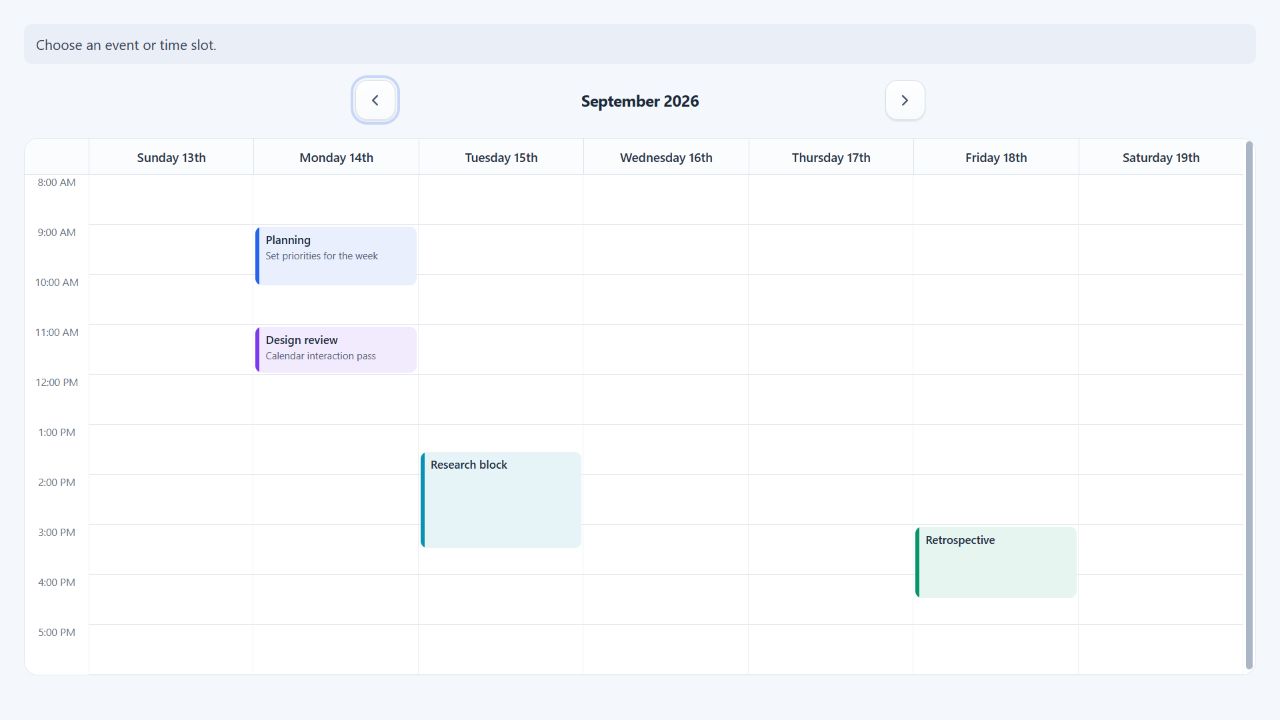
A passive time grid exposes its labelled scroll region, dedicated multi-day
events when present, and timed events and controls in column order. When
onSlotSelect is enabled, the scroll region leaves the Tab sequence and the
slot grid contributes one active slot button. Dedicated multi-day events come
before that button; timed events and their controls follow it. Shift+Tab
returns to the slot that most recently held focus.
Disabled navigation directions retain layout space as native disabled buttons,
receive aria-hidden, have no click handler, and are visually hidden. They
cannot receive focus or be activated, including through a custom navigation
renderer that spreads the supplied button props. If showControls={false},
navigation controls are omitted.
Month and passive time-grid scroll regions use tabIndex={0} so keyboard users
can focus and scroll them without first reaching a child action. Selectable
time grids scroll the focused slot into view instead.
The exact event order follows visual day/resource construction, not chronological order across all columns. Slot Arrow-key movement follows the visible row and column structure without changing the controlled selection.
Keyboard commands
| Context | Command | Behavior |
|---|---|---|
| Navigation | Enter or Space | Activates the focused previous/next button. |
| Selectable event | Space | Calls onEventSelect. |
| Openable event | Enter | Calls onEventOpen. |
| Pointer event | Single click | Calls onEventSelect; a double-click still selects only once. |
| Pointer event | Double-click or double-tap | Calls onEventOpen. |
| Focused movable time-grid event | Arrow keys | Previews the adjacent time or visible day/resource target. |
| Focused movable time-grid event | Enter or blur | Commits one onEventDrop proposal after movement. |
| Focused movable time-grid event | Escape | Cancels without calling onEventDrop. |
| Event resize handle | Arrow keys | Previews the adjacent valid resizeStep boundary. |
| Event resize handle | Enter or blur | Commits one onEventResize proposal after movement. |
| Event resize handle | Escape | Cancels without calling onEventResize. |
| Dedicated multi-day resize handle | ArrowLeft or ArrowRight | Previews the adjacent whole-calendar-day boundary. |
| Selectable month day | Enter or Space | Calls onSelectDay. |
| Month overflow | Enter or Space | Calls onShowMore. |
| Selectable time grid | Arrow keys | Moves one slot in the corresponding time or day/resource direction without wrapping. |
| Selectable time grid | Home or End | Moves to the first or last slot in the current time row. |
| Selectable time grid | Control+Home or Control+End | Moves to the first or last slot in the complete grid. |
| Selectable time grid | PageUp or PageDown | Moves approximately one visible page while retaining the current column. |
| Selectable time slot | Enter or Space | Calls onSlotSelect. |
| Focused passive scroll region | browser/platform scrolling keys | Scrolls the calendar surface. |
Focusable event roots receive aria-keyshortcuts="Space", "Enter", or both
according to their enabled semantics. Movable time-grid events additionally
expose their Arrow and cancellation shortcuts plus an accessible movement
description. canSelectEvent and canOpenEvent may remove one action for one
rendered occurrence without remapping the remaining gesture. Consumer-provided
eventInteractions.ariaKeyShortcuts is merged with the semantic shortcuts.
Selection and opening feedback
Selection is controlled. Update selectedEventIds, selectedDate, or
selectedRange after a callback to expose the resulting visual state:
Selected days and range boundaries are validated and normalized with the
configured timeZone. A selection range is half-open and must have a positive
duration; invalid, empty, or reversed values fail during rendering instead of
creating an ambiguous selected state.
const [selectedEventIds, setSelectedEventIds] = useState<CalendarEventId[]>([]);
const [announcement, setAnnouncement] = useState("No event selected.");

<>
    <p aria-live="polite">{announcement}</p>
    <Calendar
        events={events}
        selectedEventIds={selectedEventIds}
        onEventSelect={(event) => {
            if (event.id != null) setSelectedEventIds([event.id]);
            setAnnouncement(`Selected ${event.title ?? "calendar event"}.`);
        }}
        onEventOpen={(event) => openAccessibleDialog(event)}
    />
</>
ChronoLaneJS does not announce application outcomes such as a saved change, failed persistence request, or rejected move. Use an application live region and move focus intentionally when opening dialogs or changing views.
Accessible names and messages
The messages registry owns all library-generated labels:
- previous/next navigation labels;
- month and time-grid names;
- the dedicated multi-day region name;
- selectable slot labels;
- interactive event labels;
- movable-event descriptions and movement announcements;
- visible event time ranges;
- event resize handles;
- agenda empty state;
- month overflow controls.
Default event labels combine title, formatted start/end dates and times, and
description. The same prepared text is available as the native details tooltip
on every foreground event, including passive events. Provide meaningful event
titles and descriptions, or override messages.eventLabel when the domain
needs another name.
const messages = {
    ...defaultCalendarMessages,
    eventLabel: ({ title, startDate, startTime, endTime }) =>
        `${title ?? "Booking"}, ${startDate}, ${startTime} to ${endTime}`,
    slotLabel: ({ date, time }) => `Create booking on ${date} at ${time}`
};
The active locale supplies prepared date/time values but does not translate
application text. Translate the complete messages registry explicitly.
View semantics
Month
- The scroll surface has the configured month-grid accessible name.
- The calendar uses
role="grid", weekday headings userole="columnheader", week containers userole="row", and day cells userole="gridcell"with a formatted date label. - Day-heading buttons are enabled only when
onSelectDayexists. - Background events are visual and non-interactive.
Time grid
- Without
onSlotSelect, the focusable scroll surface has the configured time-grid accessible name and slots remain passive presentation elements. - With
onSlotSelect, the slot surface is a labelled composite grid. Time intervals are rows, each day/resource position is a grid cell, and one concrete header per column combines the visible hierarchical header labels. - Exactly one selectable slot button participates in page Tab order. Arrow,
Home, End, and Page keys move focus without selecting; native Enter and Space
activation call
onSlotSelect. - The first selected visible slot initially receives the roving Tab stop; otherwise the first slot does. Focusing or activating another slot remembers it for subsequent Tab entry while it remains visible.
- The optional dedicated multi-day section is a labelled region before the hourly slots and is omitted when empty.
- The event layer is a sibling of the slot grid because timed events can span and overlap several slots. Events therefore retain their independent labels, focus order, and interaction semantics instead of being misrepresented as grid-cell content.
- Interactive events are focusable event elements with complete labels and explicit Space/Enter keyboard handlers; they are not represented as buttons.
- Timed resize handles use vertical slider semantics; dedicated multi-day handles use horizontal slider semantics. Both expose current, minimum, maximum, and formatted boundary values.
Agenda
- Each visible day is a section with a heading.
- Interactive events are focusable event elements; non-interactive events are static.
- The empty renderer receives application-configurable text.
Event resize behavior
Time-grid resize handles are transparent edge hit zones and independent
siblings of the event renderer, so operating one does not select, open, or drag
the event. The resize cursor appears only over the relevant edge. Pointer and
touch movement snaps to the configured resizeStep boundaries, and the real
event geometry follows the active boundary. Keyboard Arrow keys use the same
boundaries even when visual slots are larger. The event always contains at
least one resize interval, including a shorter final interval when the
configured time window is uneven.
Only the chosen start or end edge changes. Resizing may cross visible days on the same resource but never moves an event between resources. Pointer cancel and Escape restore the original geometry; releasing the pointer, pressing Enter, or leaving the keyboard handle commits one proposal. No movement produces no callback. Background events never expose interaction or resize controls.
Event movement behavior
Movable time-grid events use their body as the pointer and touch drag surface. A movement threshold preserves ordinary click and double-click semantics, and the event retains the original pointer grab offset while targeting the nearest slot. On the focused event, Arrow Up/Down selects the previous or next time slot; Arrow Left/Right selects the adjacent visible day or resource column. Each target previews the complete event and is announced with its prepared date, time, and resource label.
Pointer cancel and Escape discard the preview. Releasing the pointer, pressing
Enter, or leaving the focused event commits one onEventDrop proposal. No
movement produces no callback. Moving a clipped segment preserves the complete
source duration, and background events never expose movement controls.
Dedicated multi-day controls follow the same commit and cancellation model. Movement targets adjacent visible day/resource columns. Resizing moves only the chosen edge in whole calendar-day steps, preserving wall-clock fields across DST. Exact formatted start/end values remain in event and handle labels.
Custom renderer responsibilities
Custom renderers replace markup but must preserve library behavior.
- Spread
elementPropsonto the root element without dropping handlers, styles,className,tabIndex,aria-label,aria-description, oraria-keyshortcuts. - Keep event roots as event/content elements. ChronoLaneJS supplies explicit pointer and keyboard behavior; do not recast every event as a native button.
- Keep the supplied accessible name unless the replacement provides an equivalent or better name.
- Preserve visible focus indication and selected-state contrast.
- Do not attach interaction only to a nested pointer target.
- Keep heading renderers concise; do not remove information needed to distinguish day/resource groups.
- If a renderer introduces controls inside an event, define an intentional focus and event-propagation policy.
- Keep a slot renderer's supplied root as its only focus target. Nested slot controls would conflict with the grid's one-widget-per-cell navigation contract.
function AccessibleEvent({ event, selected, elementProps }: TimeGridEventProps) {
    return (
        <div
            {...elementProps}
            data-selected={selected || undefined}
        >
            <strong>{event.title ?? "Untitled event"}</strong>
        </div>
    );
}
selected is presentation state, not an instruction to override the supplied
accessible label or add button semantics.
Visual accessibility
- Default interactive elements use
:focus-visibleoutlines. - Navigation animation is disabled under
prefers-reduced-motion: reduce. - Scroll containers preserve native platform scrollbars.
- Event
coloralone should not communicate status; include text or another perceivable cue in event data/renderers. - Application CSS must retain sufficient text, border, selected, hover, and focus contrast.
- Fixed sizes and minimum columns should be tested at 200% and 400% zoom.
Consumer verification checklist
For every application integration and custom renderer, verify:
- all actions are reachable and operable without a pointer;
- focus is visible, never trapped, and restored after dialogs;
- event, slot, navigation, and overflow names are meaningful;
- selected and disabled states are perceivable without color alone;
- live updates and errors are announced;
- the schedule remains usable at 200% zoom and narrow widths;
- high-contrast/forced-color modes retain boundaries and focus;
- reduced-motion preference does not introduce unexpected animation;
- pointer, touch, and keyboard event movement reaches equivalent targets;
- at least one target screen reader is included in release testing.
The repository keeps automated Storybook accessibility checks, but automation does not replace keyboard, screen-reader, high-contrast, zoom, and mobile-width manual testing. The canonical accessibility-audit stories cover every built-in view and are used for the maintainer's documented release pass.